Presenting The Information You Need...
Notebook Computer Guide*
Quick... Reviews... Summary...
Become An Educated Buyer & Save
Do Laptop Cooling Pads Really Work?
Gaming Notebooks - Do Laptop Cooling Pads Really Work?
To most serious gamers, one of the main reasons NOT to use a laptop for gaming,
has to be the tremendous amount of heat given off by most high-performance gaming
laptops. In their eyes, with heavy duty playing, even a top brand name laptop get
reduced to an expensive radiator with a fancy logo on it. Simply packing all that
performance into such a tight space is just asking for problems.
Over-heating issues can affect your laptop's performance and wear out your laptop
sooner. It can also subtract from your system's battery life and depending upon
your laptop, it can cause problems with noisy fans cutting in and out.
Laptops by their very nature, will give off a lot of heat, especially when
playing high demanding games. So just how to you solve this problem?
One obvious solution is to buy a gaming PC instead of a laptop, simply because
with a PC you have more space and it's easier to keep all the components cool,
even under the most demanding gameplay.
Besides buying a gaming PC, one of the most tried solutions for keeping that gaming
laptop's temperature from rising centers around "cooling pads". In many of the
gaming forums there is an ongoing argument about whether or not these devices
actually work?
First, you have to realize, cooling pads come in all shapes and sizes. However,
most will plug into the USB port and obviously use extra fans to cool things down.
They can have many shapes but most are designed to let air flow into your laptop,
cooling it down. Keep in mind, sometimes placing a laptop on a bed or on blankets
will cause an overheating problem since your laptop usually has many vents and has
to be allowed to breathe. Even placing the laptop in your lap can cause problems
if the air can't circulate.
Cooling pads work by supplying extra fans to cool down your gaming laptop at peak
demands. They can also help cool down your laptop and the air surrounding your
laptop under hot conditions. Many users swear these cooling pads work and have
used them for years. Try to find one which has a very low dB rating, no louder
than 20 dB - about as loud as a whisper.
Other gamers say these devices just add more demands on your laptop's system and
argue there are other ways to cool down a laptop such as undervolting and underclocking,
but you must know what you're doing to attempt these solutions.
However, we are talking about gaming rigs here and overclocking is usually the
modus operandi. We want more performance not less and that usually means more heat
coming from the CPU, IGP and other components. So a cooling pads is an option to
reduce all that heat.
It should also be mentioned, ordinary use should not make any laptop overheat,
so we are mainly talking about gaming systems here, which come under stress when
playing high demanding video games. Placing your laptop on a firm surface which
allows air to circulate should be your starting point. Another tip is to use a can
of compressed air to regularly clean out your laptops cooling fins, you will be
surprised of how much junk will get picked up by your system - keeping it clean
and running properly will help.
While the jury may be still out, the good news is that these cooling pads are
really inexpensive when compared to laptop prices. Most are in the $20 to $30 range
so they can be easily checked out without costing you an arm or leg. So if you're
heavily into gaming and your high-priced gaming laptop is losing its temper too
many times, try cooling it down with a cooling pad.
Some of the top rated models include the Logitech Notebook Cooling Pad N100
Some Top Rated Laptop Cooling Pads:
Written by Titus Hoskins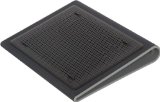


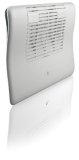
Targus Lap Chill Mat AWE55US (Black with Gray)
The Notebook Guide
Want to thank BWM for this content? Tell a friend about us, add a link to this page - or visit this page for more notebook coupons.
Link to this page:
Please bookmark with social media, your votes are noticed and greatly appreciated. Thank You.

CLICK To View Our TOP HAND-PICKED Quality Laptops:

Copyright - All Rights Reserved.


To access our Notebook Guide just click the link below OR you can DOWNLOAD this handy PDF file by right clicking the link. Free Notebook Guide
Notebook Guide
Information Overload
The Internet has too much Stuff!
We Sort and Compile all this information for you and present a brief Synopsis or quick Summary of product reviews.
Break through the Clutter.
Use this Easy Guide to point you in the right direction and save your most valuable asset.
Time.....................
Quick TimeSavers

Yes, as per FTC rules and full disclosure - this is an affiliate site and may receive small compensation for links clicked on this page.